Staff & compliance
SIA licences checked on the public register, right to work, ACT Awareness and Security, BS7858 vetting, qualifications and documents, with expiry alerts and renewal reminders. Find out more →

Patrols, events and door supervision on one system: staff compliance, rotas, a staff app, live counters, incident reports and branded reports for your clients.
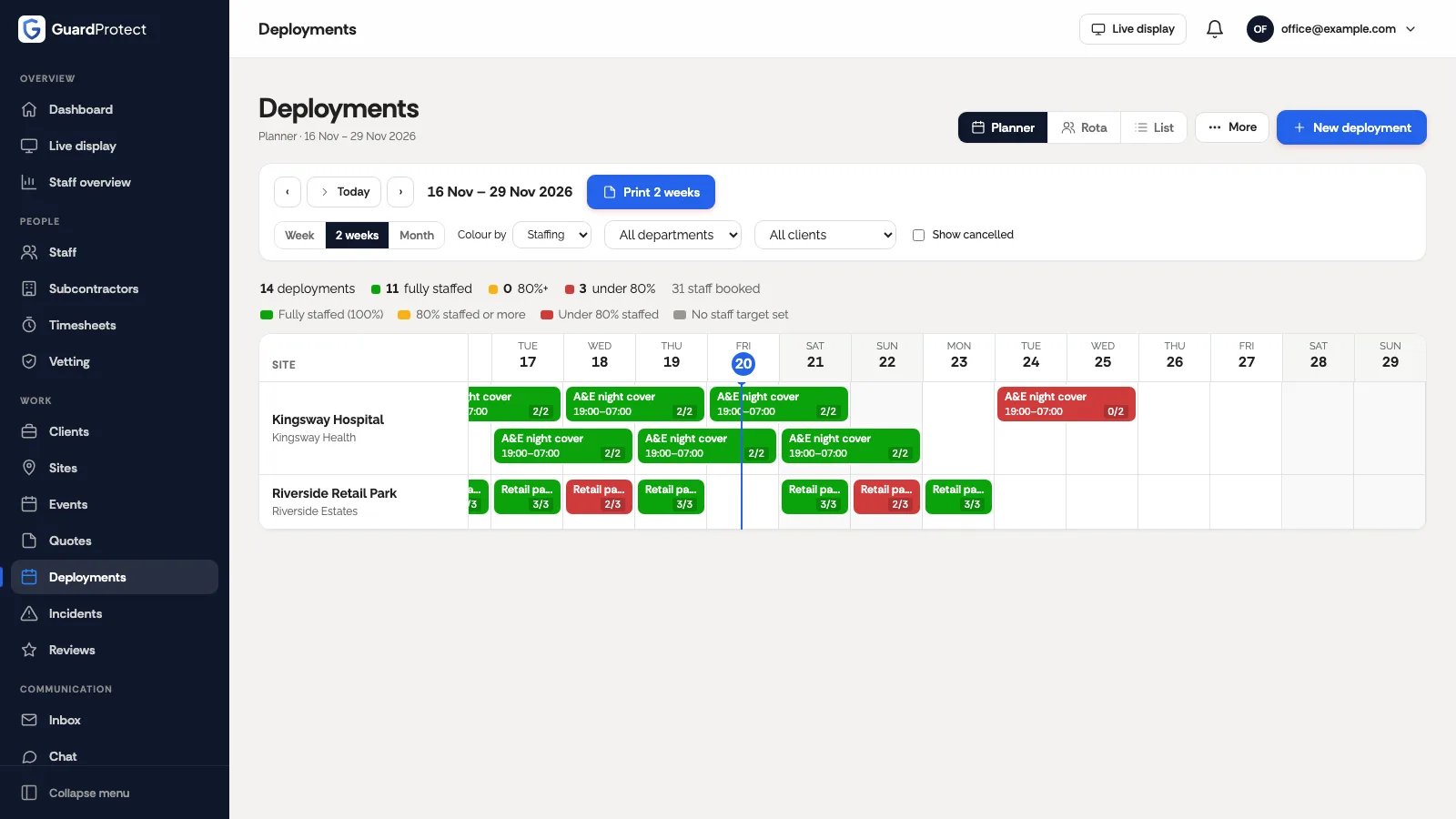
From compliance to deployments to the staff app: what a day in GuardProtect looks like.
From the guard on the door to the report on the client’s desk. Every part talks to every other part, so nothing is typed twice.
SIA licences checked on the public register, right to work, ACT Awareness and Security, BS7858 vetting, qualifications and documents, with expiry alerts and renewal reminders. Find out more →
Every site on one calendar and a week rota by site or by staff. See who’s available, preferred, nearest and best rated, auto-fill the gaps and commit every change in one go. Find out more →
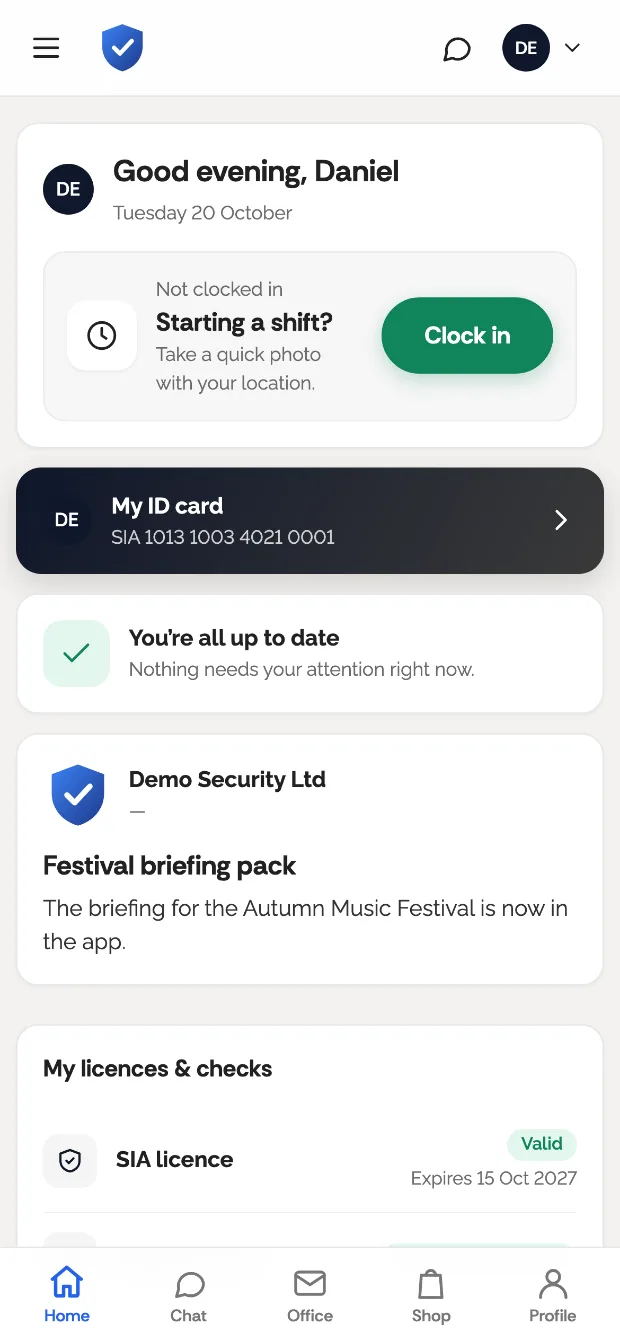
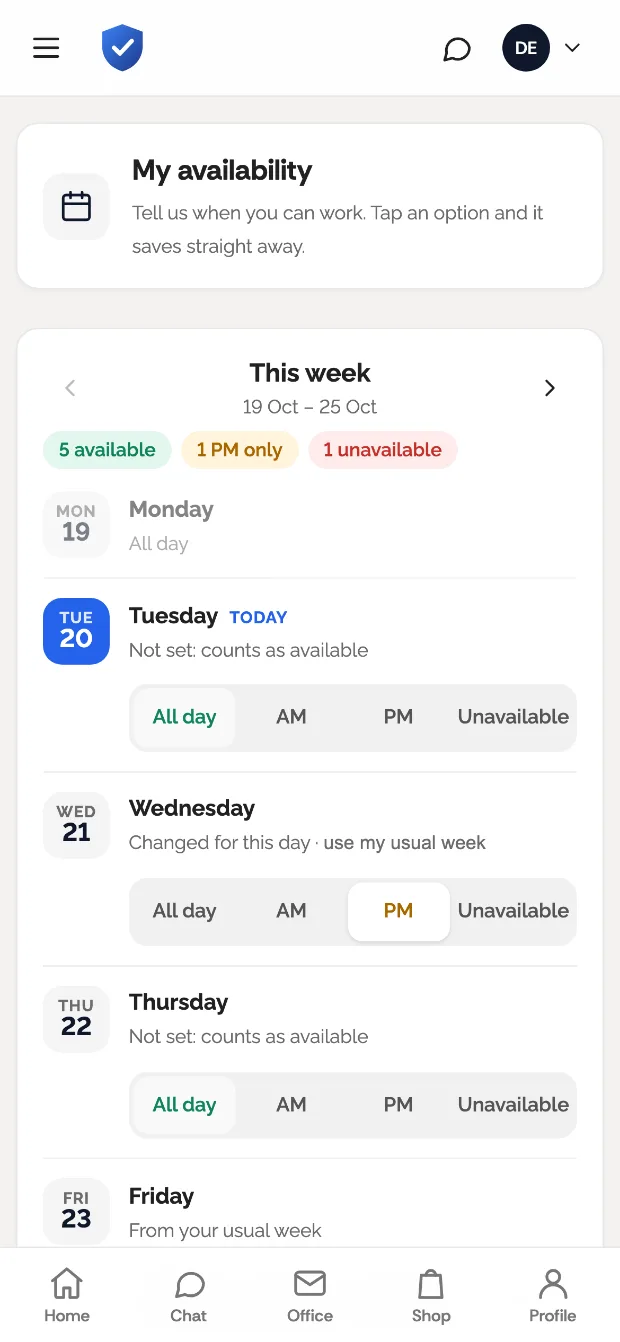
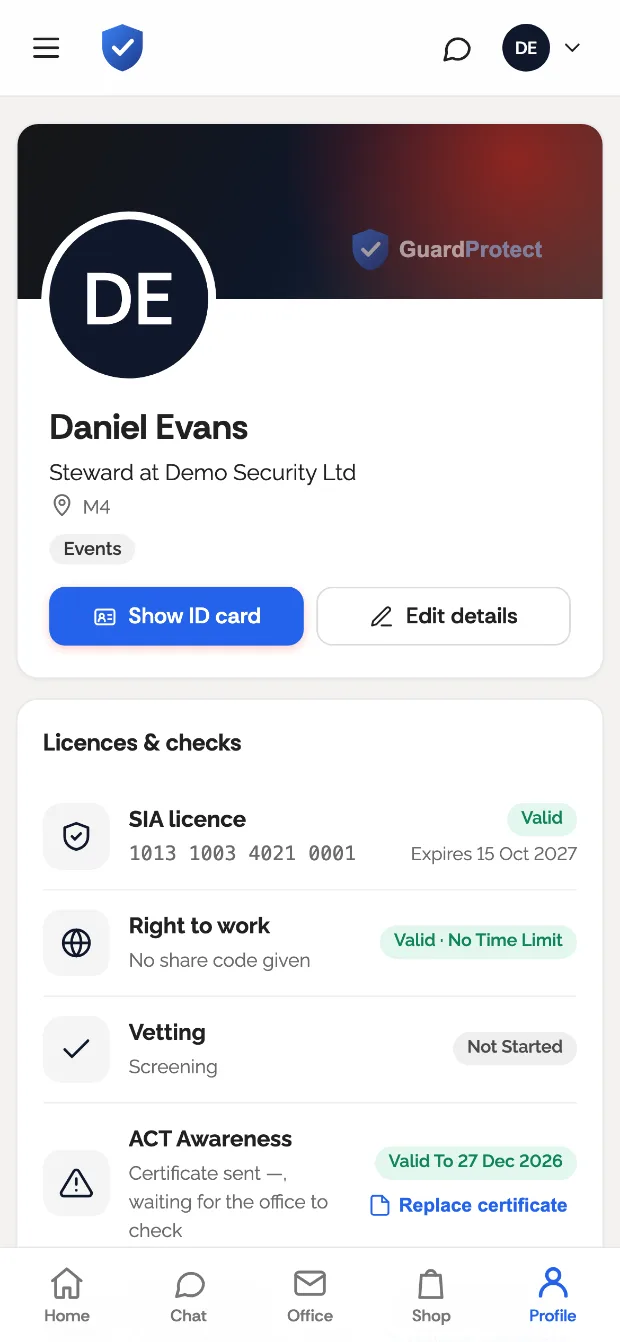
Clock in with photo and location, see upcoming work, set availability, log incidents, show a digital ID card, order uniform and message the office. Find out more →
A clear profile for every officer: KPI average, blow outs and no-show rate at the top, with discussions, warnings and appraisals kept on file. Find out more →
Security deployment plans, dot plans on a map or floor plan, match-day briefs and a client-ready printed pack. Find out more →
Live event control: jobs as tickets, positions and callsigns, help requests from stewards, weather and a wallboard. Find out more →
A QR code per zone: stewards count people in and out on their phone and record refusals and ejections, with live totals. Find out more →
Upload your event management plan and documents and get a risk assessment and method statement drafted for you to check and approve. Find out more →
Upload your patrol system’s data and see every check on a map, filtered by date, officer or location, with a report grouped by shift. Find out more →
Officers log incidents on their phone with photos and their exact position, ready for heat maps and reports. Find out more →
Incidents carry what your Business Crime Reduction Partnership needs, with compliance checks, deadlines, a copy-ready DISC report and automatic deletion after the retention period. Find out more →
Keep a record of barred members of the public, why and until when, and count visitors in and out every day at leisure sites. Find out more →
Client rates per role, quotes they accept online, and a client portal with their deployments, documents and requests for staff. Find out more →
Site, event, patrol and staff reports in your branding, with summaries, heat maps and charts, emailed to clients on a schedule. Find out more →
Supervisors score officers in the app and complete end-of-shift reports, which feed straight into your reports. Find out more →
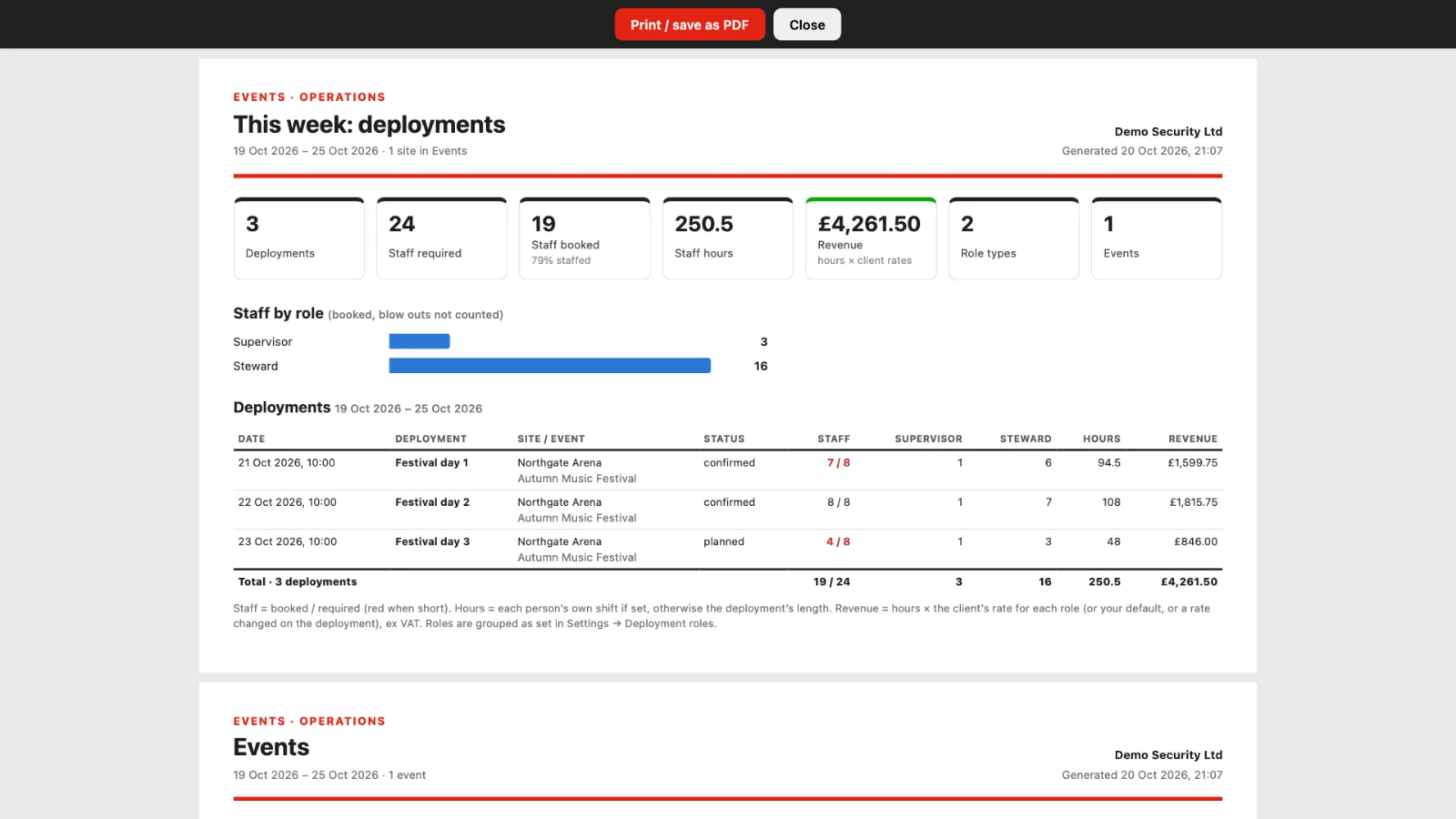
See what every deployment earns from your client rates and hours, by department and site.
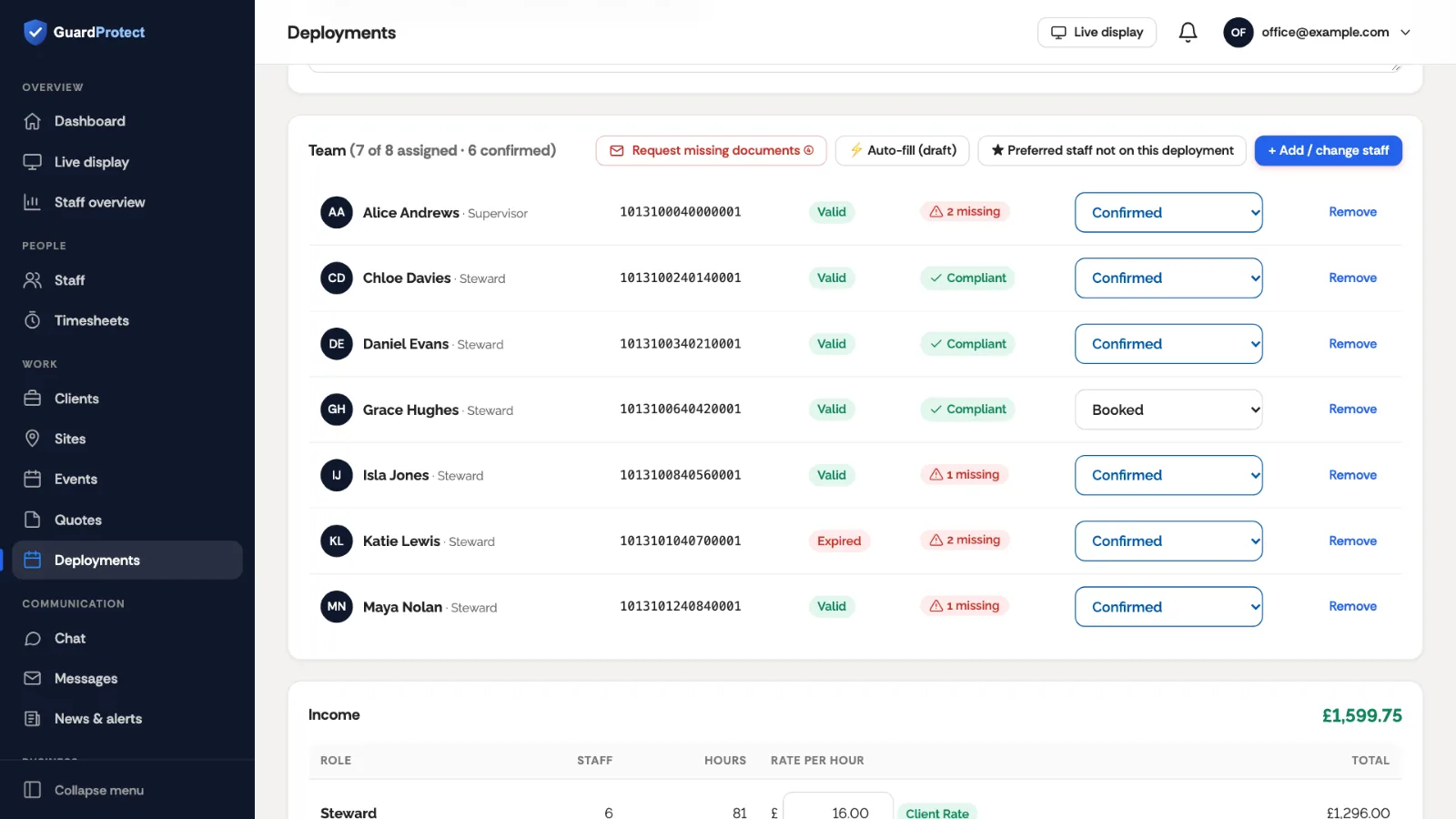
Each person on a deployment shows Compliant or exactly what’s missing: SIA, right to work or ACT, including anything that expires before the shift date. One button asks everyone for what they need.
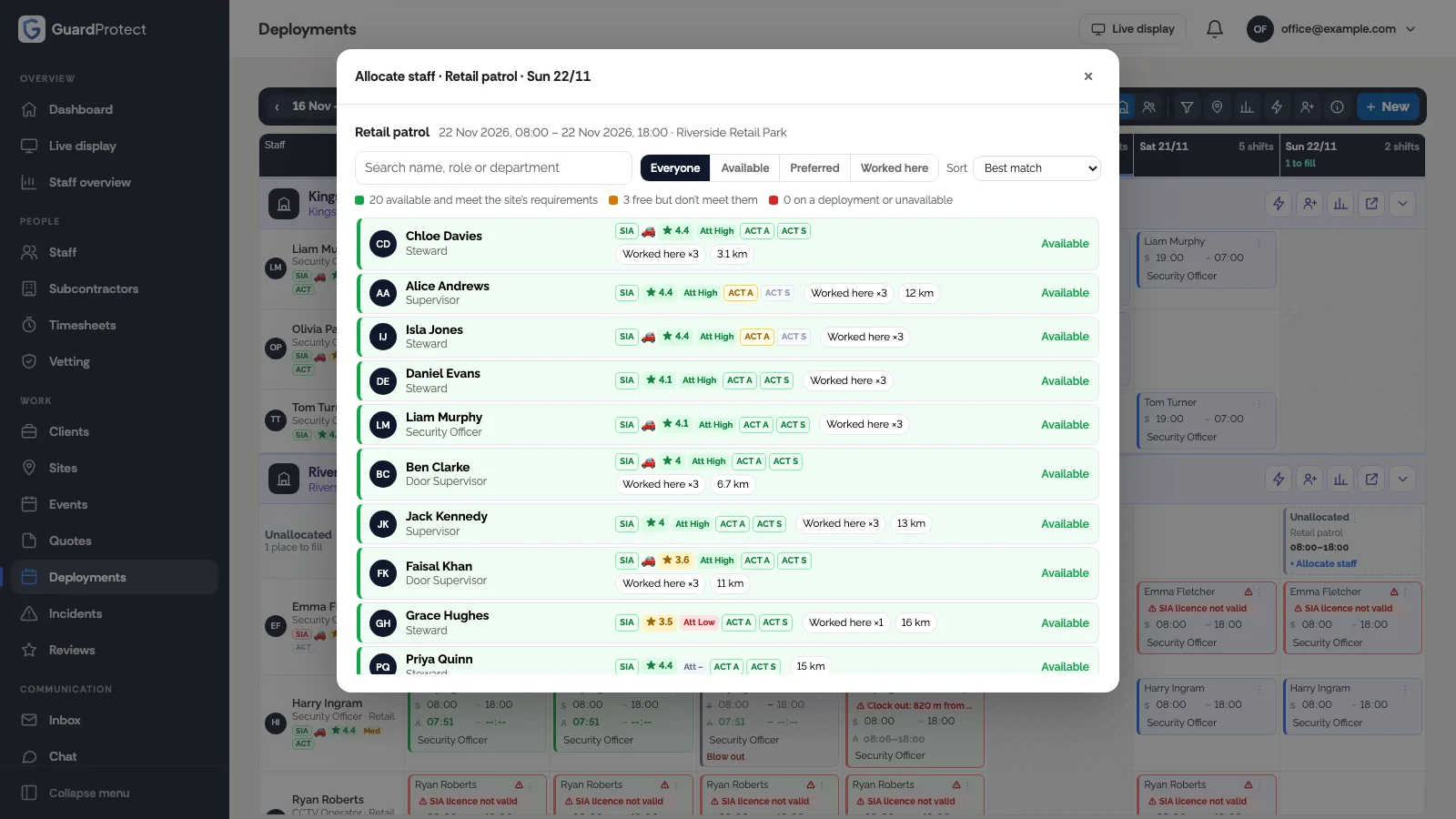
Click an empty place on the rota and see everyone who could take it: who’s available, who’s already booked, who’s preferred for the site, their KPI score, attendance, SIA and ACT, and who lives nearest. Auto-fill ticks the best people as a draft for you to check and commit.
Staff clock in, set their availability, keep their documents up to date and get alerts. No app store needed: it installs from the browser on any phone.
Department reports with deployments, staff by role, hours, revenue from your client rates, events, and every blow out from the last four weeks, ready to print.
No set-up fee and no long contract. Start with a free 30-day trial, then choose what suits you.
Prices exclude VAT. Text messages are optional and charged per message.
A shift is one officer on one deployment. Cancelled shifts and blow outs aren’t charged. Prices exclude VAT.
No card needed. You’ll be signed in and ready to set up in a couple of minutes. If you decide it’s not for you, simply don’t add a card and the trial ends.
Pay as you go charges for each shift your officers work, so quiet months cost less. Pay monthly is a fixed price for a package (GuardLite, GuardEvolve or Protect+), which works out cheaper once you’re busy. The calculator above shows which suits you.
One officer on one deployment. Ten officers on one event is ten shifts. Cancelled shifts and blow outs aren’t charged.
Yes. Move between pay as you go and any monthly package from Billing; the change applies from your next bill.
Choose a plan and add a card in Billing to carry on. If you don’t, your account is paused and nothing is charged. Your data stays put if you come back.
Yes. Import a CSV or Excel export from your current system, including SIA numbers, departments and qualifications. You see a preview before anything is saved.
No app store needed. The staff app runs in the phone’s browser and can be added to the home screen in one tap, on iPhone and Android.
Yes. Licences are checked against the public SIA register and re-checked automatically, so you know straight away if one lapses.
Yes, on Protect+. Incidents capture what your Business Crime Reduction Partnership needs, the site records your information sharing agreement and DPIA, and reports are formatted for DISC. Offender details are removed automatically after your retention period.
Yes. Each company has its own login pool and its data is kept apart from every other company’s, with daily backups. Personal data is handled in line with UK GDPR.
Yes: your logo and colours on the app, the staff app, quotes and every printed report.
Yes. Every task has a help guide with pictures, and you can contact us any time using the form below.
Questions about pricing, a demo for your team, moving from another system or help with your account: send us a message and we’ll reply by email, usually the same working day.