Unallocated places
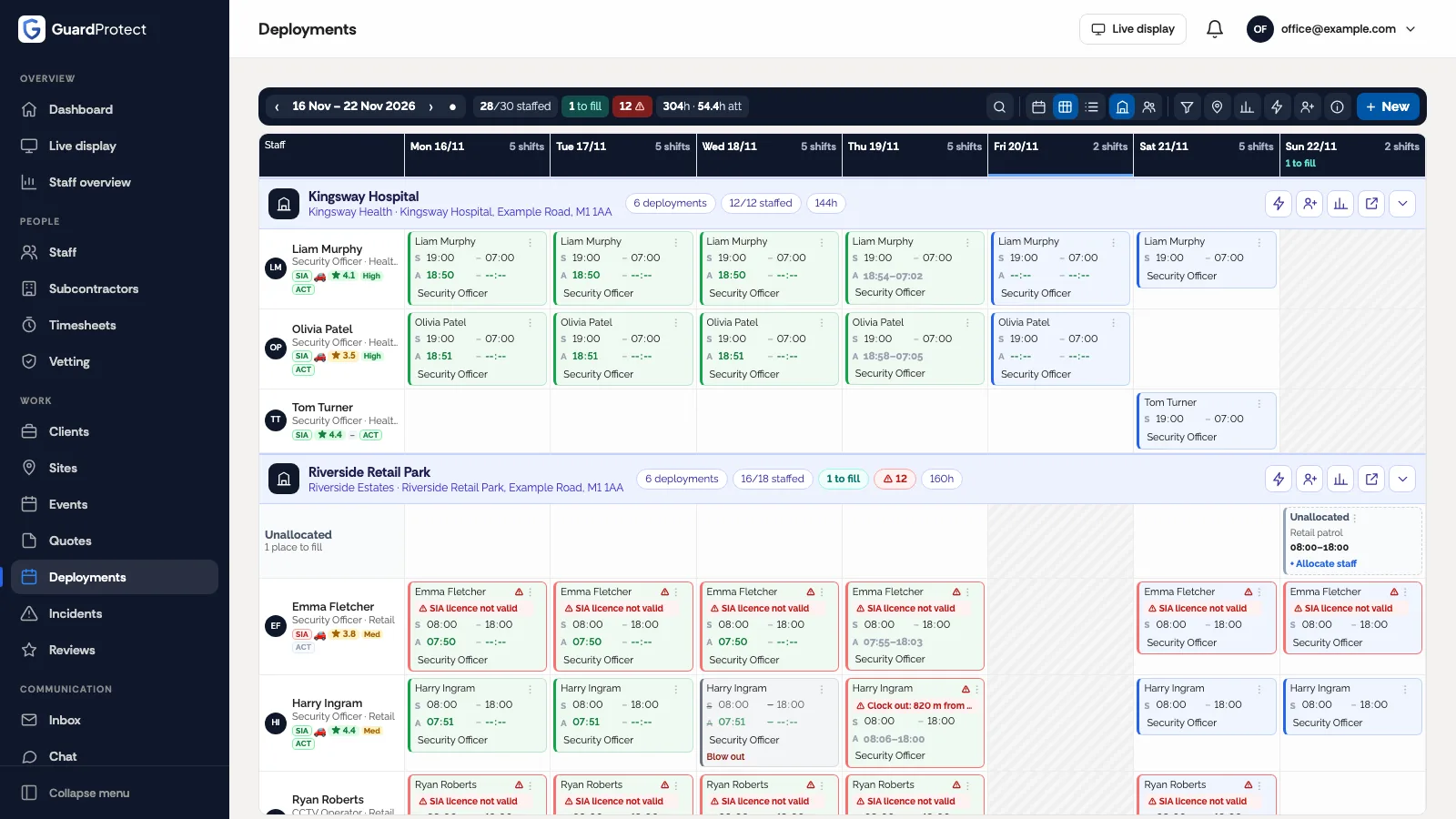
Places still to fill show as their own cards, so gaps are impossible to miss.

Every site on one calendar and a week rota by site or by staff. See who is available, preferred, nearest and best rated, auto-fill the gaps, and commit every change in one go.
Included in GuardLite and every package · See pricing
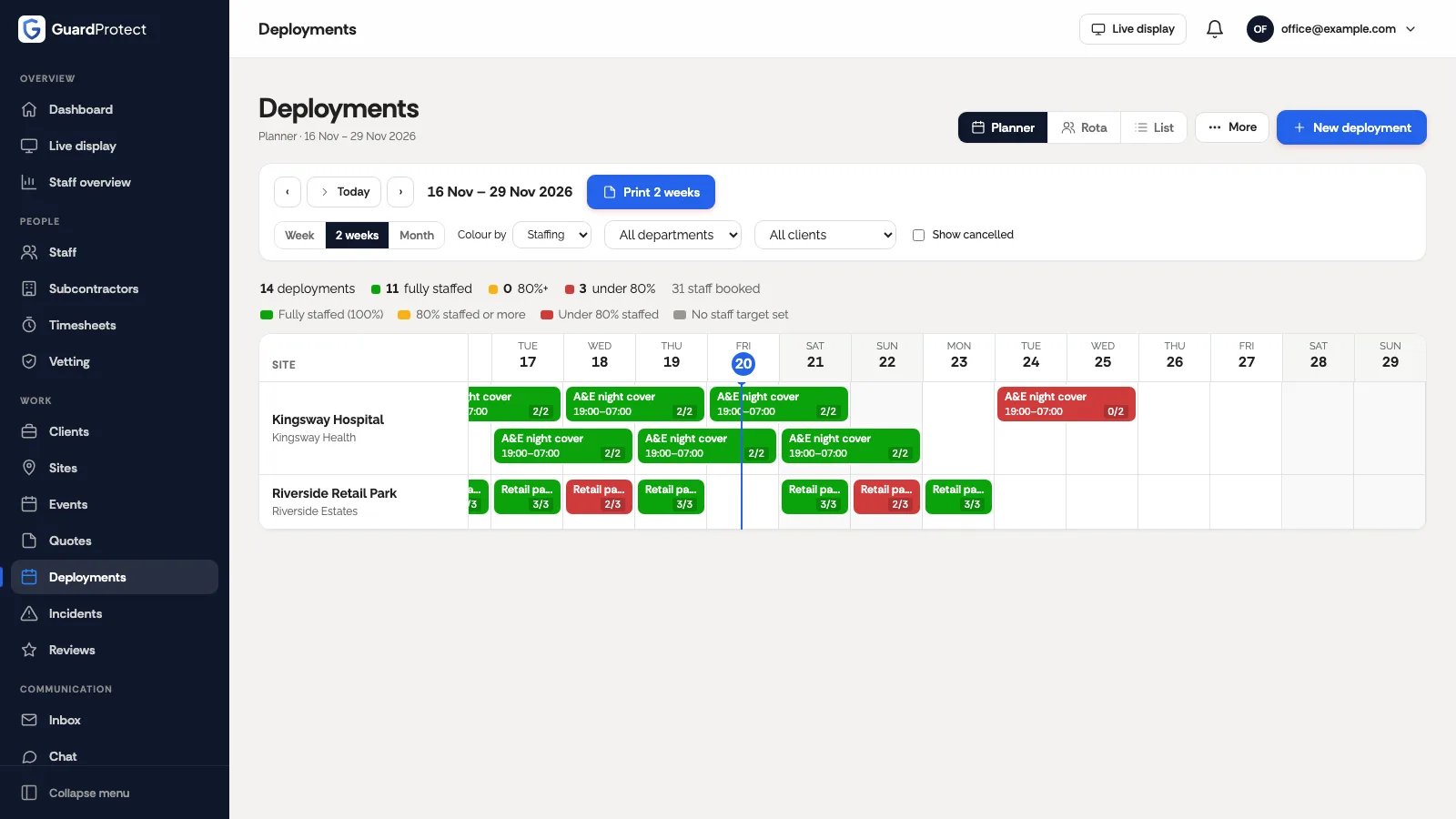
Deployments opens on the planner: every site across the week, fortnight or month, each deployment coloured by how well it’s staffed. Duplicate, repeat and template shifts, import rotas from a spreadsheet and print the week for the office wall.
Monday to Sunday without scrolling sideways. Each site has its own bar with its address, staffing and hours, and its own auto-fill button. Every shift shows the scheduled and attended times, coloured draft, notified, confirmed, declined, attended or blow out, with a ⚠ when someone clocks in late or away from the site.
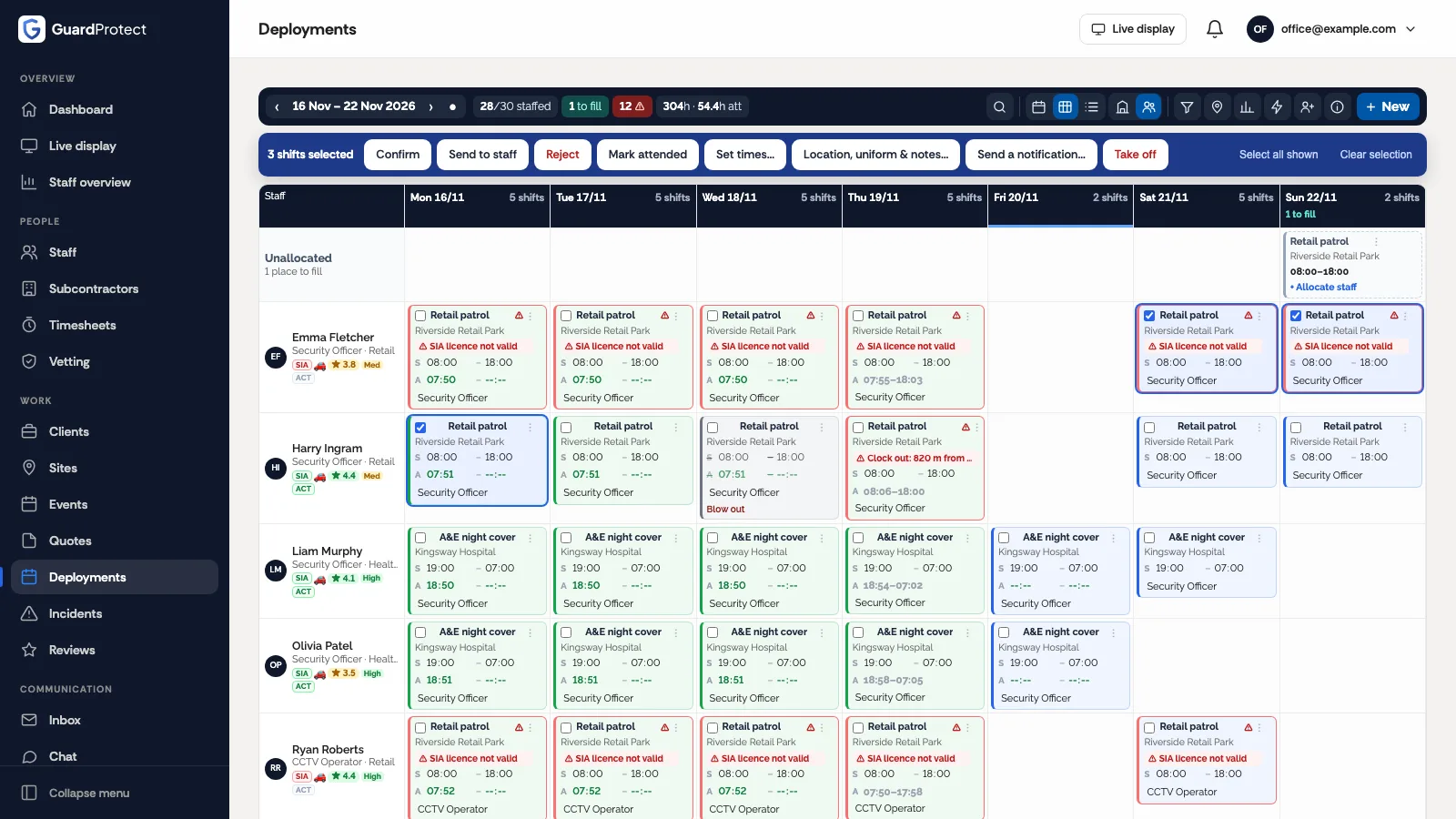
Change times, roles and posts, swap people, reject shifts or take people off: every change waits as a pending change until you press Commit, so nothing goes out half-finished. Select several shifts to confirm, reject, notify or set times for all of them at once, or right-click one for every action, including making someone the supervisor.
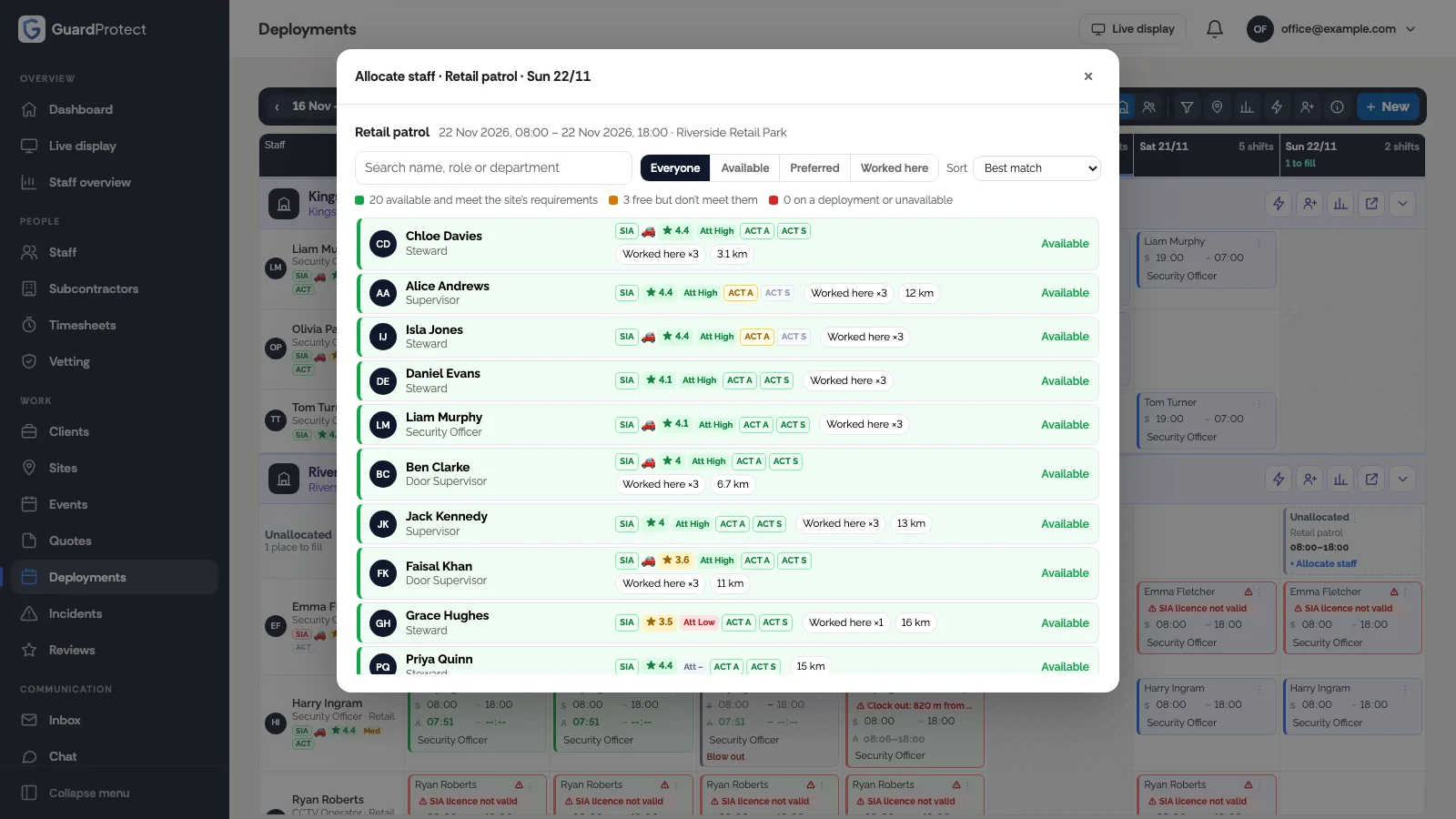
Every unfilled place shows on the rota. Click it for the people who could take it: green if they’re available and meet the site’s requirements, amber if not, red if they’re already working or unavailable. Each shows their KPI score, attendance, SIA, ACT, whether they drive, how often they’ve worked the site and how far away they live. Auto-fill uses the same list and ticks the best people for you as a draft.
Click a name for their licences and checks, KPI average, attendance and blow outs, their shifts this week and whether they have the app on their phone, with buttons to call, WhatsApp, email or send a notification.
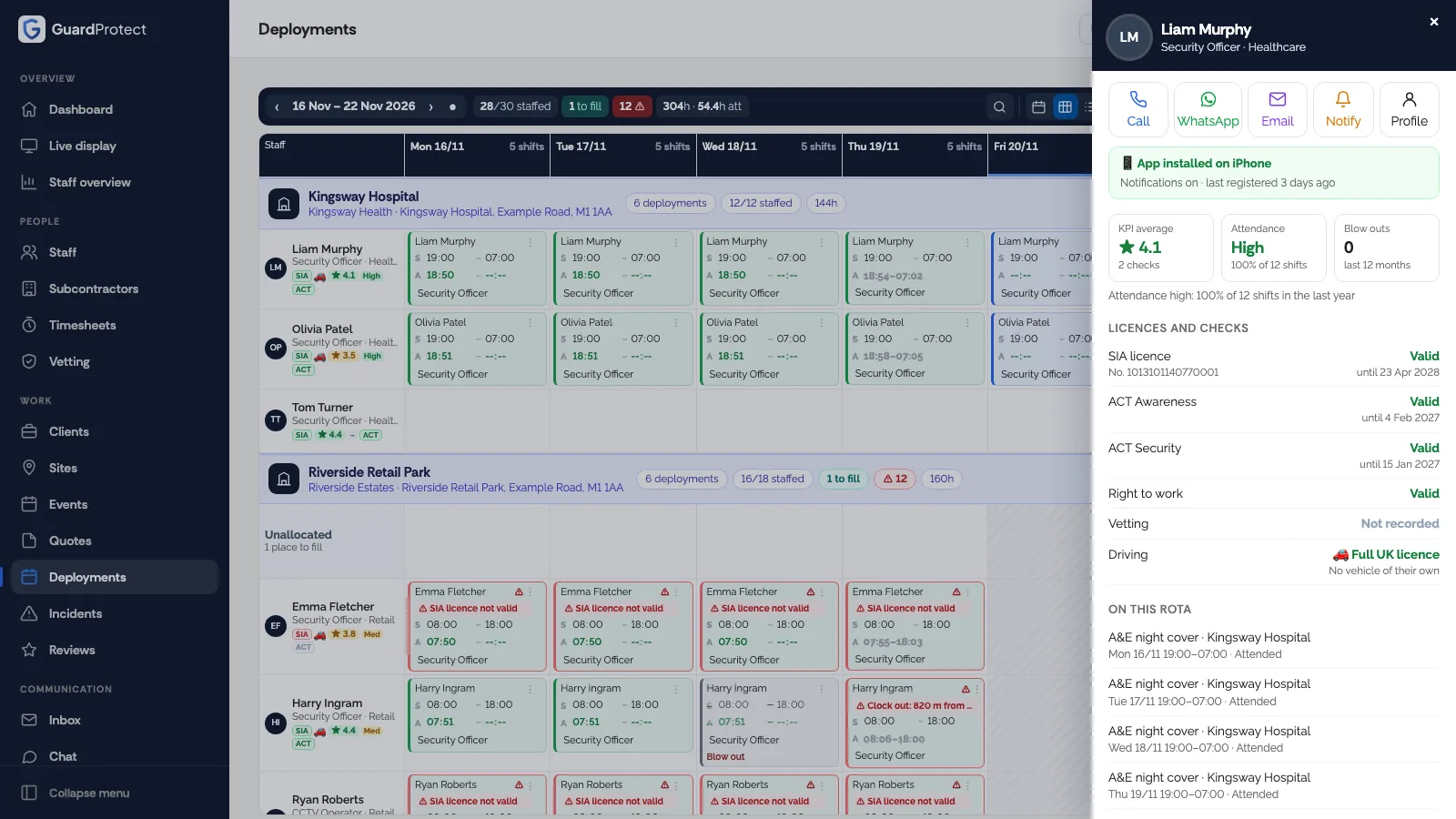
Places still to fill show as their own cards, so gaps are impossible to miss.
Put a shift out to the right departments; staff ask for it in their app and you send it to one of them.
Pending changes are outlined until you commit them, with a summary of everything that will change.
Send the shift, or a message about it, straight to the person’s phone.
Late or missing clock ins, early finishes, clocking in away from the site and SIA problems.
Every deployment by status at a glance, and tick the sites you want on the rota.
Set up in minutes with your own staff and sites. No card needed.